
What is a Server and does every busienss need one?
Walk into many small business offices, and you'll find a humming box tucked away in a closet, under a desk, or in a cramped server room. It's collecting dust, generating heat, and costing money to maintain. When asked what it does, the owner often shrugs and says, "Our IT person set it up years ago. I think we need it?"
Here's the reality: not every business needs a server anymore. What was once essential infrastructure has become optional for many small and medium-sized businesses, thanks to cloud computing and modern software alternatives. Understanding what servers actually do—and whether you truly need one—can save you thousands of dollars and countless headaches.
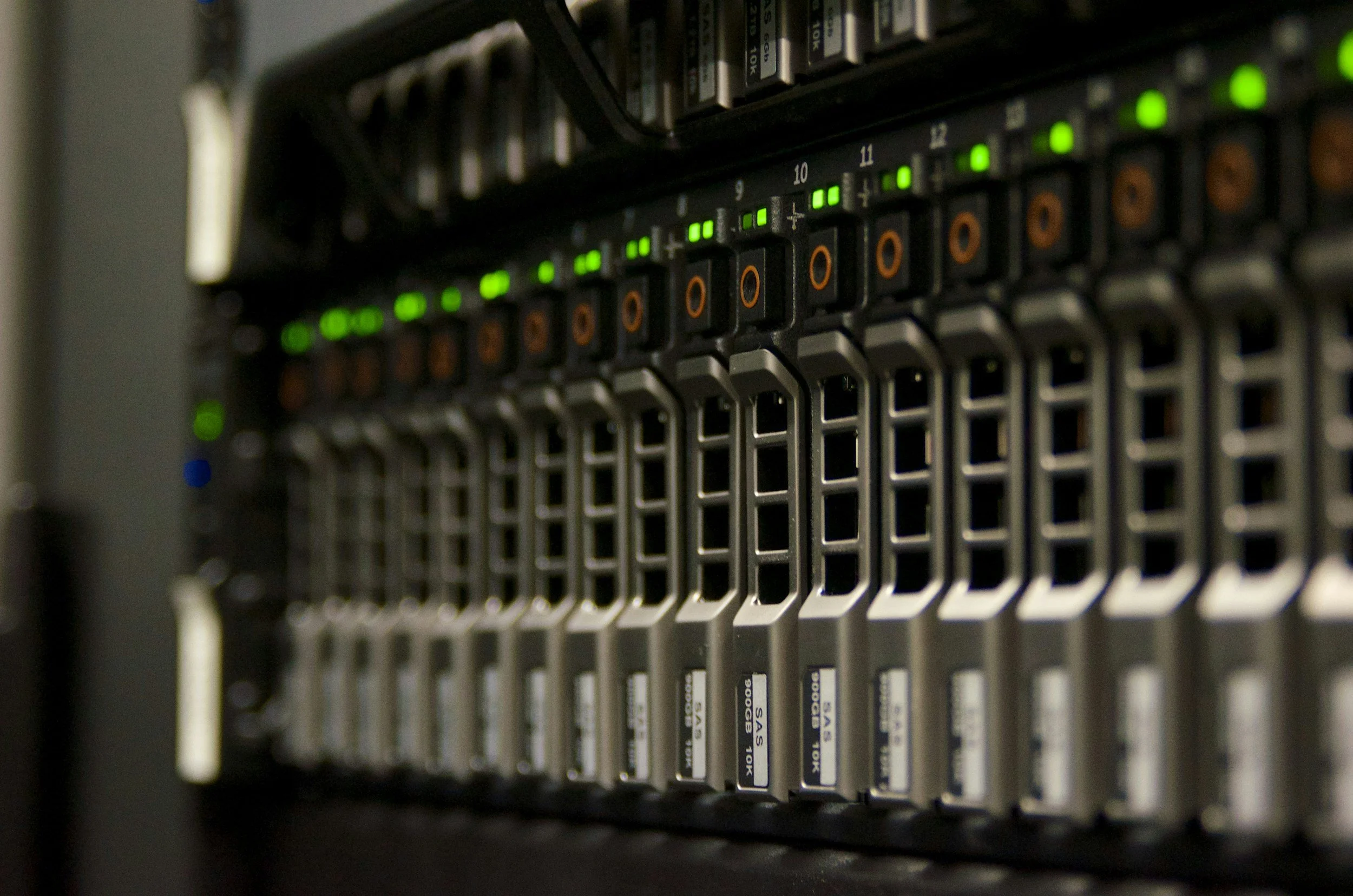
What Actually is a Server?
At its most basic level, a server is just a computer. But unlike the laptop on your desk designed for one person to use, a server is built to provide services and resources to multiple computers simultaneously. Think of it as a central hub that other computers connect to for shared resources.
Servers are designed differently than regular computers. They have more powerful processors to handle multiple requests at once, more memory to run many applications simultaneously, larger and more reliable storage systems, and redundant components so if one part fails, the server keeps running. They're built to run 24/7 without the breaks your desktop computer gets when you shut it down each night.
When you save a file to a shared drive that everyone on your team can access, you're typically saving it to a server. When you access your company's database or send email through your business domain, there's probably a server involved. When you print to a network printer, a server might be managing that print queue.
What Servers Traditionally Did for Businesses
Understanding what servers traditionally handled helps clarify whether you still need one today.
File storage and sharing was perhaps the most common use. Instead of everyone keeping files on their individual computers, a server provided central storage where employees could access shared documents, collaborate on projects, and ensure important files weren't trapped on one person's laptop. This also made backups simpler—back up the server, and you've backed up everyone's important work.
Email hosting used to require a server running in your office. Companies would purchase expensive email server software, maintain the hardware, manage spam filtering, and troubleshoot delivery issues. It was complex, time-consuming, and required dedicated IT expertise.
Application hosting meant running business software from a central server instead of installing it on every computer. Your accounting software, customer database, or industry-specific applications might run on a server, allowing multiple employees to access the same data simultaneously without version conflicts or data synchronization issues.
Print management through a server meant one point of control for multiple printers. Users could print to any networked printer, and the server would manage print queues, user permissions, and printing policies.
Security and access control centralized on servers, which managed user accounts, passwords, permissions, and determined who could access which files and applications. This central control made security management more consistent and easier to audit.
The Cloud Alternative That Changed Everything
Here's what fundamentally changed: all those traditional server functions can now be handled by cloud services, often more reliably and cost-effectively than running your own server.
Email hosting through Microsoft 365 or Google Workspace costs $6-20 per user monthly and includes enterprise-grade spam filtering, massive storage, mobile access, and automatic updates. No server hardware to buy, no email software to license, no maintenance headaches. When Microsoft's data centers handle your email, you get better uptime than you could achieve with an office server.
File storage and sharing through OneDrive, SharePoint, Google Drive, or Dropbox provides all the collaboration features of a traditional file server, plus anywhere access, automatic synchronization, version history, and built-in backup. Your files are stored redundantly across multiple data centers, making them far more secure than a server sitting in your office closet.
Business applications increasingly offer cloud versions. QuickBooks Online, Salesforce, various industry-specific software solutions—all accessible through web browsers without local servers. Your team gets the latest features automatically, and you can access your business systems from anywhere.
The cost comparison is striking. A basic business server might cost $3,000-8,000 upfront, plus annual maintenance, electricity, cooling, backup systems, and IT support. After five years, you're looking at $15,000-30,000 total. Cloud alternatives often cost $50-150 monthly for small businesses, providing better capabilities without the headaches.
When You Actually DO Need a Server
Despite cloud advantages, some businesses genuinely benefit from having their own server. Understanding these scenarios helps you make an informed decision.
Specialized software requirements sometimes demand local servers. Certain industry-specific applications, particularly in manufacturing, healthcare, or engineering, may not have viable cloud alternatives yet. Legacy software that your business depends on might only run on local servers.
Compliance and data control concerns drive some businesses toward on-premises servers. Certain regulations require data to remain within specific geographic boundaries or under direct control. Some industries face restrictions on where sensitive data can be stored, making cloud solutions more complicated.
Internet reliability issues in areas with poor connectivity might necessitate local servers. If your internet service is frequently down or unreliable, depending entirely on cloud services could hamper productivity. A local server ensures certain critical functions remain accessible even during internet outages.
Large file handling in industries like video production, architecture, or engineering might make local servers more practical. Uploading and downloading massive files to cloud services can be painfully slow, whereas local network speeds make working with large files much faster.
Cost considerations at scale might favor servers for larger organizations. While cloud services are cost-effective for small teams, the monthly fees can add up significantly once you're supporting 50+ users. At certain scales, owning infrastructure becomes more economical than renting it.
The Hybrid Approach
Many businesses find the sweet spot isn't choosing between servers or cloud—it's strategically using both.
You might use cloud services for email, file sharing, and collaboration while maintaining a local server for specialized applications that can't move to the cloud. This hybrid approach gives you cloud benefits for most daily operations while keeping mission-critical legacy systems running locally.
Another common hybrid model involves using a local server for working files while backing up to cloud storage. This provides fast local access to large files while ensuring disaster recovery through cloud backup. If your office server fails or your building experiences a disaster, your data remains safe and accessible from the cloud.
Some businesses maintain a small local server for authentication and security management while moving most applications and data to the cloud. This provides centralized control over user access and security policies while still leveraging cloud services for actual productivity tools.
Making the Right Decision for Your Business
Determining whether you need a server requires honest assessment of your actual requirements versus habitual infrastructure.
Start by inventorying what your current server actually does. Many businesses discover their expensive server is only handling file storage—a function easily replaced by modern cloud services. If you can't clearly articulate why you need a server, you probably don't.
Evaluate your software dependencies carefully. Make a list of every application your business uses, then research whether cloud alternatives exist. You might discover that moving to cloud-based alternatives provides better features at lower cost while eliminating server dependency.
Consider your team's work patterns. If employees regularly work remotely, travel frequently, or collaborate with people outside your office, cloud services probably make more sense than a server accessible only from the office network.
Calculate total cost of ownership honestly. Don't just compare server purchase price against monthly cloud fees. Include electricity, cooling, maintenance, backup systems, replacement costs, and IT support time. Most businesses significantly underestimate the true cost of running their own servers.
Think about disaster recovery. If your office flooded tomorrow, how quickly could you resume operations? Cloud services make disaster recovery essentially automatic, whereas server-based businesses need comprehensive backup and recovery plans that are expensive to implement and maintain.
The Future of Business Servers
The trend is unmistakable: fewer small businesses need their own servers every year. As cloud services improve, as internet connectivity becomes more reliable, and as software vendors prioritize cloud development, the reasons to maintain on-premises servers continue to diminish.
This doesn't mean servers are obsolete—large enterprises and businesses with specialized needs will continue using them. But for many small and medium-sized businesses, the server in the closet has become an expensive relic, maintained more from habit than necessity.
The question isn't whether cloud computing will eventually replace most small business servers—it's whether you're ready to make that transition now or if you have legitimate reasons to delay. For many businesses, the answer is that they've been ready for years but simply haven't examined their assumptions about what infrastructure they truly need.
Moving Forward
If you currently have a server, don't panic and rush to eliminate it tomorrow. But do take time to honestly evaluate whether it's still serving a genuine purpose or simply maintained because "that's how we've always done it."
If you're considering purchasing a new server, pause and thoroughly explore cloud alternatives first. The upfront cost savings alone might be worth investigation, and the operational benefits could transform how your team works.
The right answer depends on your specific situation, but for most small businesses today, that answer involves significantly less on-premises infrastructure than it did a decade ago—and that's usually a good thing.