
Hard Drive Crashed: What Does That Mean and Can I Get My Data Back?
The email from your employee arrives with a subject line that makes your stomach drop: "My computer won't start and it's making clicking noises." Or maybe you arrive at the office to find your server displaying an error message about a failed hard drive. Your first thought is probably some version of: "What does that actually mean, and more importantly, can we get our data back?"
Hard drive crashes are one of the most common technology disasters businesses face, and they happen more often than you'd think. Understanding what's actually happening when a drive crashes—and what your options are—can mean the difference between a minor inconvenience and a catastrophic data loss.
What "Hard Drive Crash" Actually Means
When people say a hard drive has "crashed," they're describing a situation where the drive can no longer reliably read or write data. But not all crashes are created equal, and understanding the difference between mechanical and logical failures dramatically affects your recovery options and costs.
Think of your hard drive as a sophisticated filing cabinet. A mechanical failure is like the cabinet's physical structure breaking—drawers won't open, mechanisms jam, or parts literally break. A logical failure is more like someone scrambling the filing system—the cabinet still works mechanically, but you can't find anything because the organizational system is corrupted.
Mechanical Failures: When Hardware Breaks
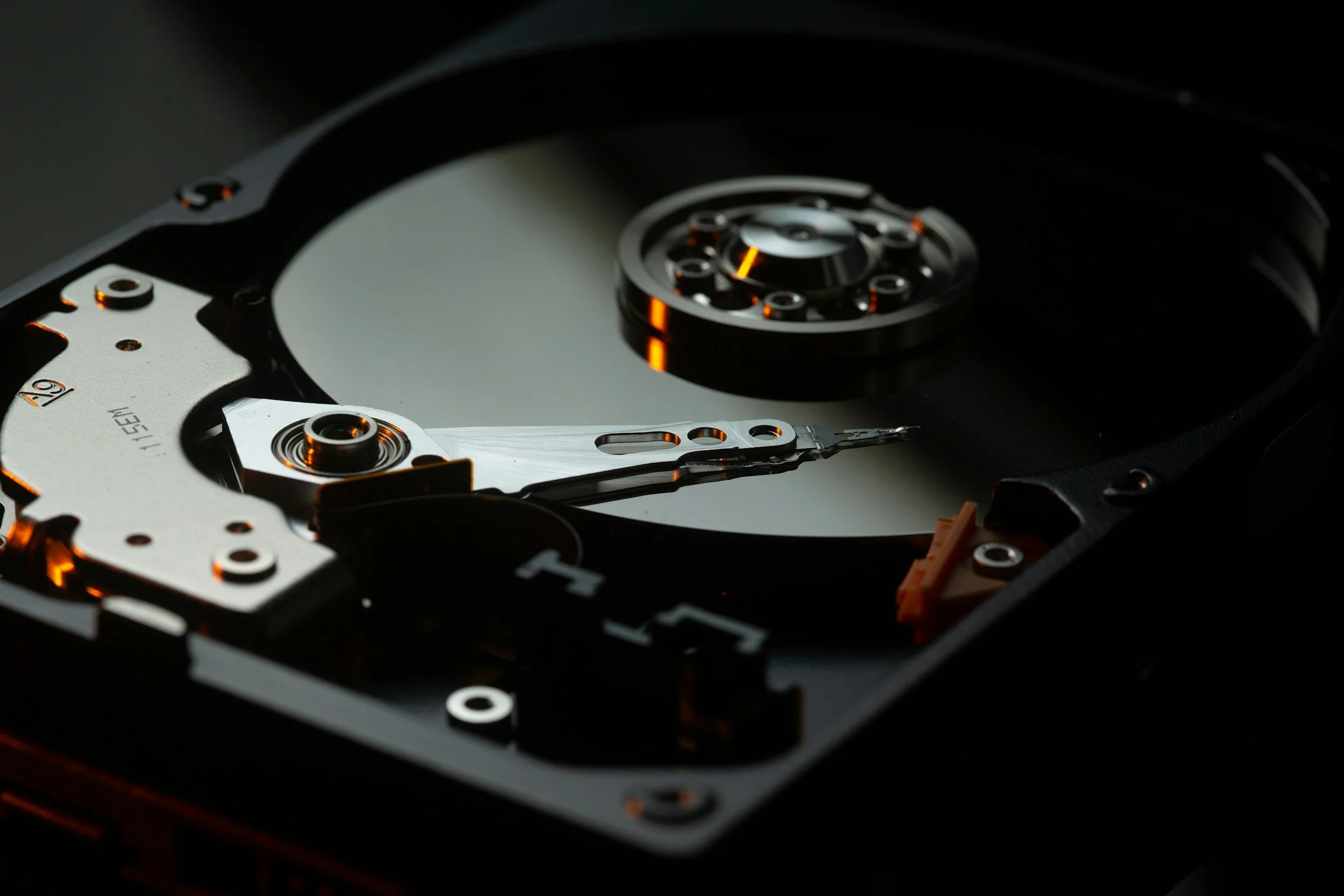
Traditional hard drives (as opposed to solid-state drives) are mechanical marvels containing spinning platters, read/write heads that float microscopically close to those platters, and precision motors operating thousands of times per second. When any of these physical components fail, you have a mechanical failure.
The telltale signs are often audible. That clicking sound your employee mentioned? It's usually the read/write head repeatedly trying and failing to read data from the platter—a condition technicians call the "click of death." Grinding noises suggest problems with the motor or bearings. Complete silence when the drive should be spinning indicates the motor has failed entirely.
Mechanical failures happen for various reasons. Age and wear eventually affect all mechanical components—hard drives typically last 3-5 years under normal use, though some fail sooner and others last longer. Physical shock from dropping a laptop or bumping a desktop tower can damage delicate internal components. Overheating from poor ventilation or failed cooling systems degrades components faster. Manufacturing defects occasionally cause premature failures despite normal use.
When mechanical failure occurs, the data is usually still on the platters—it's just inaccessible because the mechanism to read it is broken. This is actually somewhat good news, because it means specialized data recovery companies can often retrieve your files, though the process is expensive and time-consuming.
Logical Failures: When the Filing System Breaks
Logical failures occur when the drive's hardware works fine, but the data structure or file system becomes corrupted. The drive spins up normally, makes no unusual noises, and appears to function—except you can't access your files, or the computer doesn't recognize the drive at all.
Common causes include sudden power loss while the drive is writing data, which can corrupt the file system or interrupt critical operations. Software bugs or operating system crashes during disk operations can damage the structures that keep track of where files are stored. Virus or malware infections sometimes deliberately corrupt file systems or encrypt data for ransom. Accidental deletion or formatting removes the directory that tells the system where files are located, though the actual data often remains on the drive.
Logical failures are generally less catastrophic than mechanical failures because the hardware still functions. Data recovery software can often repair file system corruption or recover deleted files, assuming you catch the problem quickly and don't overwrite the data. Professional recovery services can handle more complex logical failures at significantly lower cost than mechanical recovery.
Can You Actually Get Your Data Back?
This is the million-dollar question, and the answer depends on several factors: the type of failure, how quickly you respond, and what actions you take immediately after discovering the problem.
For mechanical failures, professional data recovery is often possible but expensive. Specialized companies operate in cleanroom environments where they can safely open drives, replace failed components, and extract data from the platters. Success rates vary depending on the specific failure and how much additional damage occurred, but recovery is frequently possible. Expect costs ranging from $500 to $3,000+ depending on the complexity and urgency.
The catch with mechanical failures is that every attempt to power on a failed drive can cause additional damage. That clicking sound represents the read/write head potentially scraping against the platter, destroying data with each attempt. If you suspect mechanical failure, turn off the device immediately and contact a professional recovery service.
For logical failures, recovery is often simpler and less expensive. Data recovery software can address many logical issues, sometimes recovering files for just the cost of the software. More complex cases might require professional services, but these typically cost hundreds rather than thousands of dollars because they don't require physical intervention.
However, logical recovery success depends heavily on one critical factor: not overwriting the data. When you delete a file or format a drive, the data isn't immediately erased—only the directory entry pointing to it is removed. The actual data remains on the drive until something else writes over that space. This means recovery is often possible if you act quickly, but becomes increasingly unlikely the more you use the drive.
What NOT to Do When a Drive Fails
When facing a potential drive failure, people's instincts often lead them to take actions that dramatically reduce recovery chances.
Don't repeatedly restart your computer hoping it will suddenly work. Each boot attempt on a mechanically failing drive causes more physical damage. If the drive is clicking or making unusual noises, every second it runs increases the likelihood of permanent data loss.
Don't attempt physical repairs yourself. Opening a hard drive outside a cleanroom environment exposes it to dust particles that can destroy data. Even a single speck of dust on the platter can cause catastrophic damage when the read/write head encounters it at high speed.
Don't run multiple recovery software programs if you're dealing with logical failure. Some aggressive recovery tools can actually make the situation worse by writing data back to the same drive you're trying to recover from. Choose one reputable recovery tool and follow its instructions carefully.
Don't delay decision-making when data is critical. The longer you wait, the more likely the situation deteriorates. Mechanical failures can progress from partial to complete, and opportunities for logical recovery diminish as systems attempt to repair themselves or overwrite data.
Prevention: Your Best Recovery Strategy
Here's the uncomfortable truth: by the time you're asking whether data can be recovered, you've already failed at the most important step—having proper backups. Data recovery should be your last resort, not your plan.
Modern backup solutions are affordable, automated, and reliable. Cloud backup services continuously copy your data to secure offsite locations. If a hard drive fails, you simply restore from backup and continue working. The cost of cloud backup for a small business—typically $50-150 monthly—is a fraction of what a single professional data recovery attempt costs.
The backup strategy that actually works follows the 3-2-1 rule: three copies of your data, on two different types of media, with one copy stored offsite. This means your working files, a backup on a different device (like an external drive or network storage), and a backup in the cloud or at another physical location.
Many businesses skip backups because they seem complicated or expensive, but the reality is that modern backup solutions are largely automatic once configured. You set them up once, verify they're working, and they quietly protect your data without daily intervention.
Solid State Drives: A Different Story
While we've focused on traditional hard drives, many modern computers use solid-state drives (SSDs) instead. SSDs have no moving parts, making them faster, more durable, and less prone to mechanical failure.
However, when SSDs do fail, they often fail catastrophically and without warning. Traditional hard drives usually show signs of impending failure—slowing down, making noises, or throwing errors. SSDs can work perfectly one moment and become completely inaccessible the next, with little opportunity for data recovery.
This makes backups even more critical for SSD-based systems. The same drives that offer better reliability during normal operation provide fewer recovery options when things go wrong.
Making the Recovery Decision
If you're facing a drive failure right now, here's how to approach the decision:
First, assess the criticality of the data. If the lost data is devastating to your business—customer records, financial data, irreplaceable work product—professional recovery is probably worth the cost. If it's inconvenient but not catastrophic, you might accept the loss and focus on better backup systems going forward.
Second, determine the failure type. Unusual noises suggest mechanical failure requiring professional cleanroom recovery. Drives that spin normally but aren't recognized might have logical issues you can address with software or less expensive professional services.
Third, get quotes from reputable data recovery companies. Most offer free evaluations where they assess the drive and provide recovery likelihood estimates and costs before you commit. This lets you make an informed decision about whether recovery is worth the investment.
Finally, use this experience to implement proper backup systems so you never face this situation again. Even if recovery is successful this time, consider it a warning shot that you got lucky.
The Bottom Line
Hard drive crashes happen. It's not a question of if, but when. The drives in your computers, servers, and storage devices will eventually fail—it's simply the nature of technology with finite lifespans.
What separates a minor inconvenience from a business catastrophe isn't whether drives fail, but whether you're prepared when they do. Proper backup systems mean drive failures become simple hardware replacements rather than desperate, expensive recovery attempts.
If you're reading this because a drive just failed, you have options—sometimes expensive, sometimes uncertain, but options nonetheless. If you're reading this proactively, count yourself fortunate and implement backup systems before you need them.
Either way, the lesson is the same: data recovery is possible, often successful, but always expensive and stressful. Backup is cheap, reliable, and gives you peace of mind. Choose wisely.